
Quick billing & receipt printing, built for shop counters
Punch in a price, add the item, print or share the bill — BillCalc turns any Android phone into a billing counter, with your data always on your device.
Punch in a price, add the item, print or share the bill — BillCalc turns any Android phone into a billing counter, with your data always on your device.
No inventory, no subscriptions required to start — just fast, accurate billing.
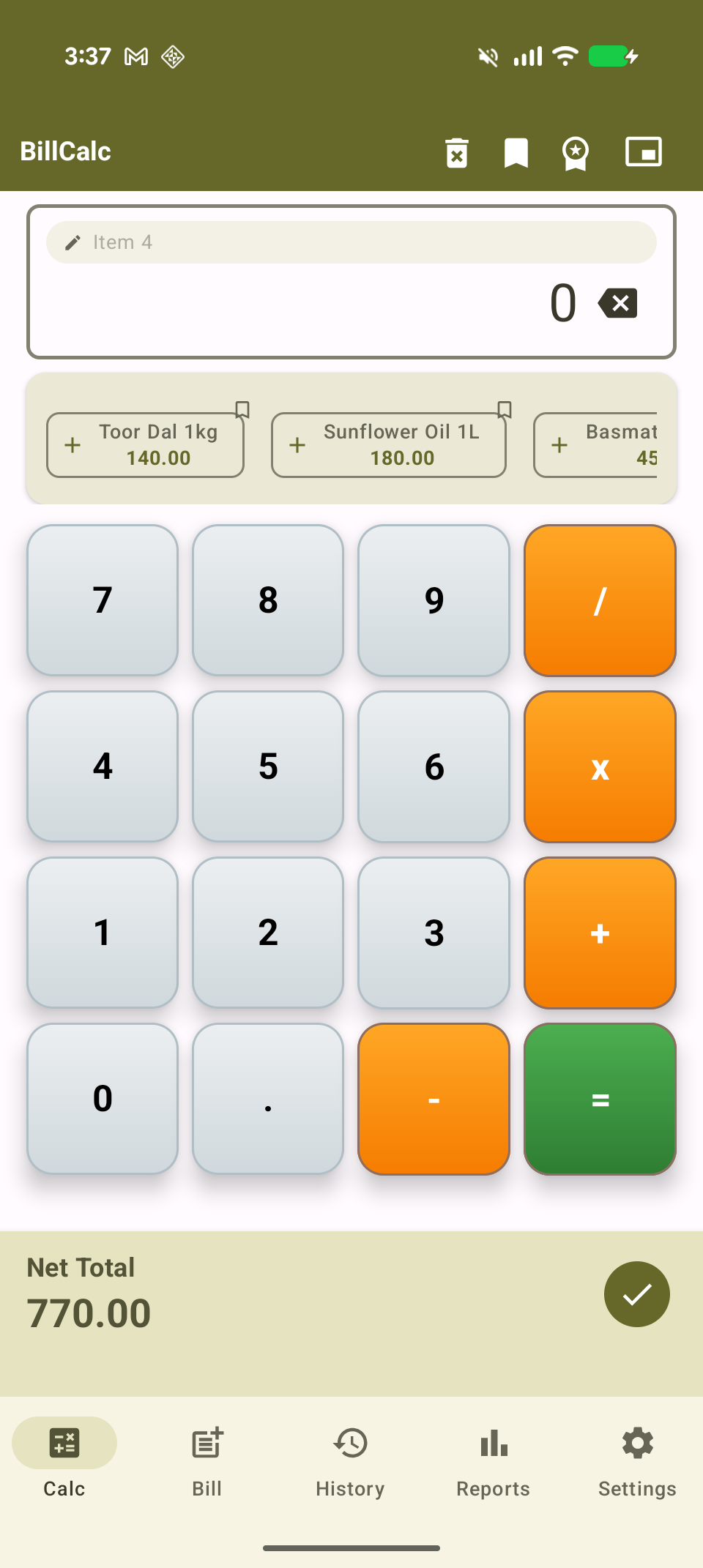
Punch in a price like a normal calculator, name the item, and add it to the running bill — no separate "add item" form to fill out.
Prefer typing item rows one by one? The Bill tab adds per-item tax and discount without ever touching the calculator.
Bluetooth thermal printers, Android's native Wi-Fi/USB print framework, or just save and share a PDF — whatever your counter uses.
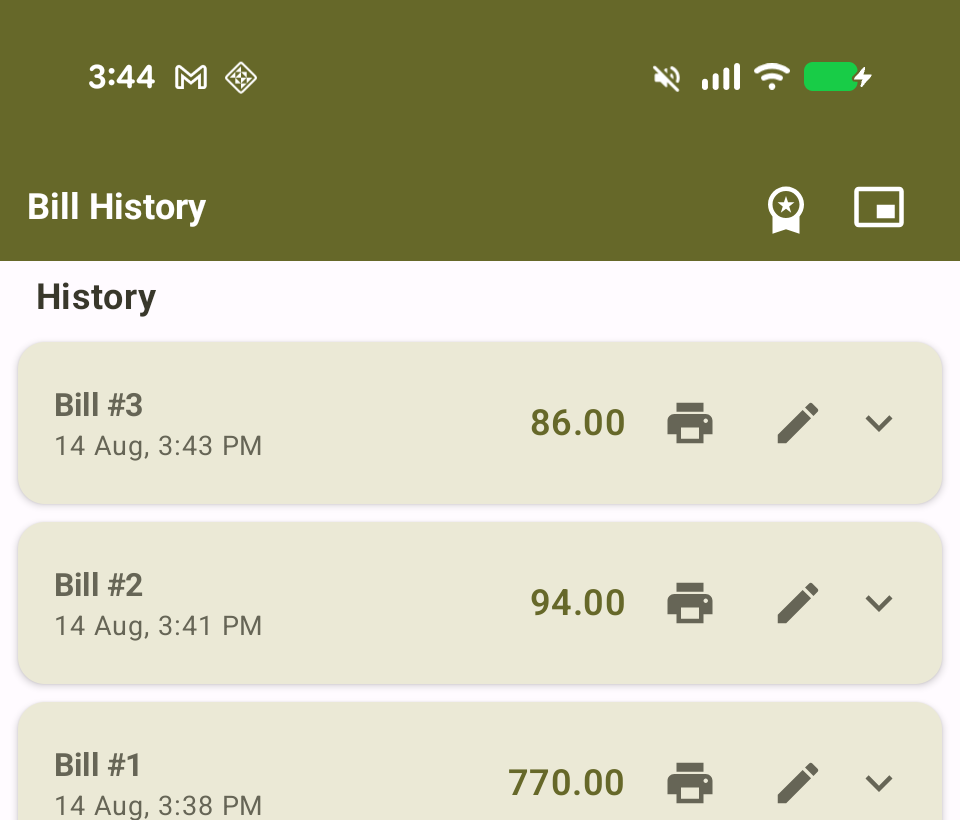
Every saved bill stays searchable and reprintable — customer name, items, payment method, and totals, all in one place.
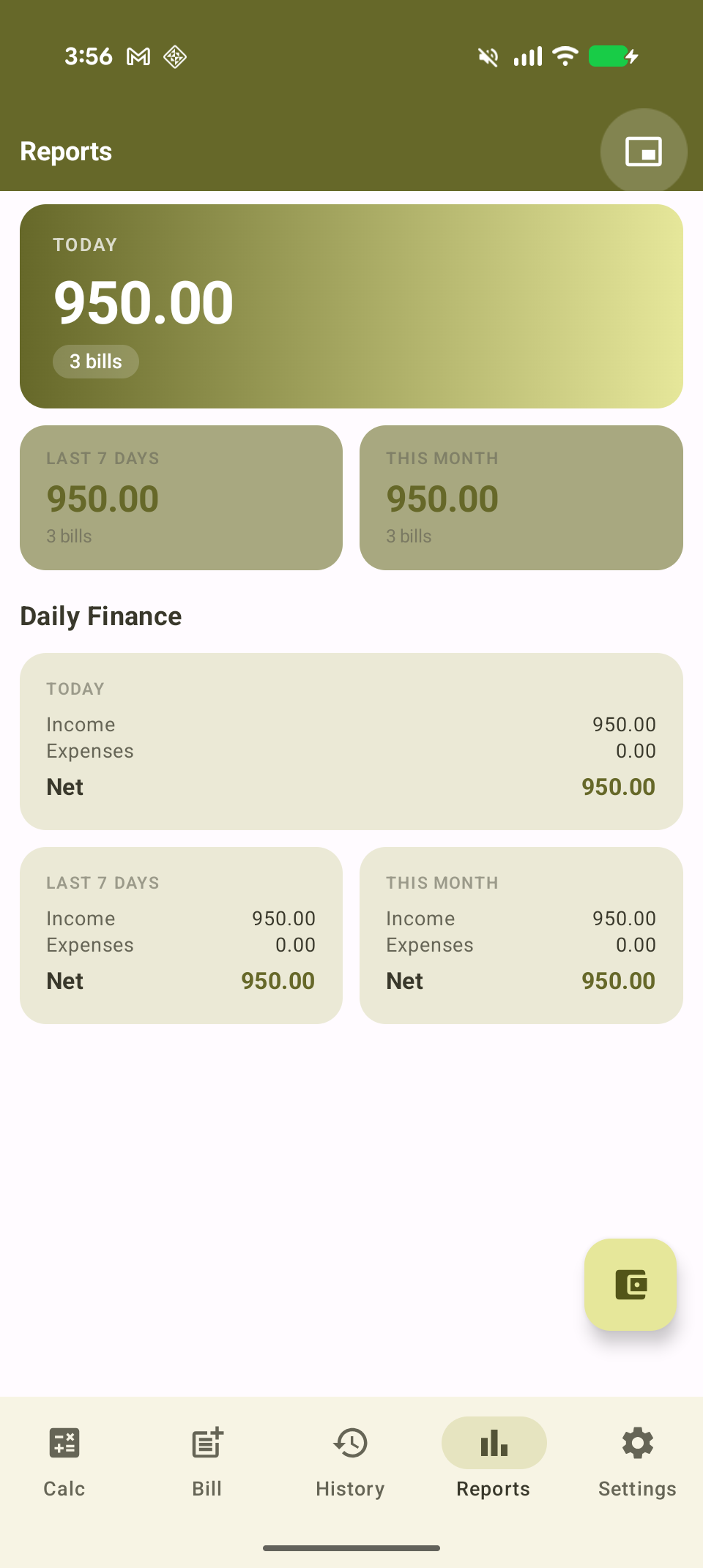
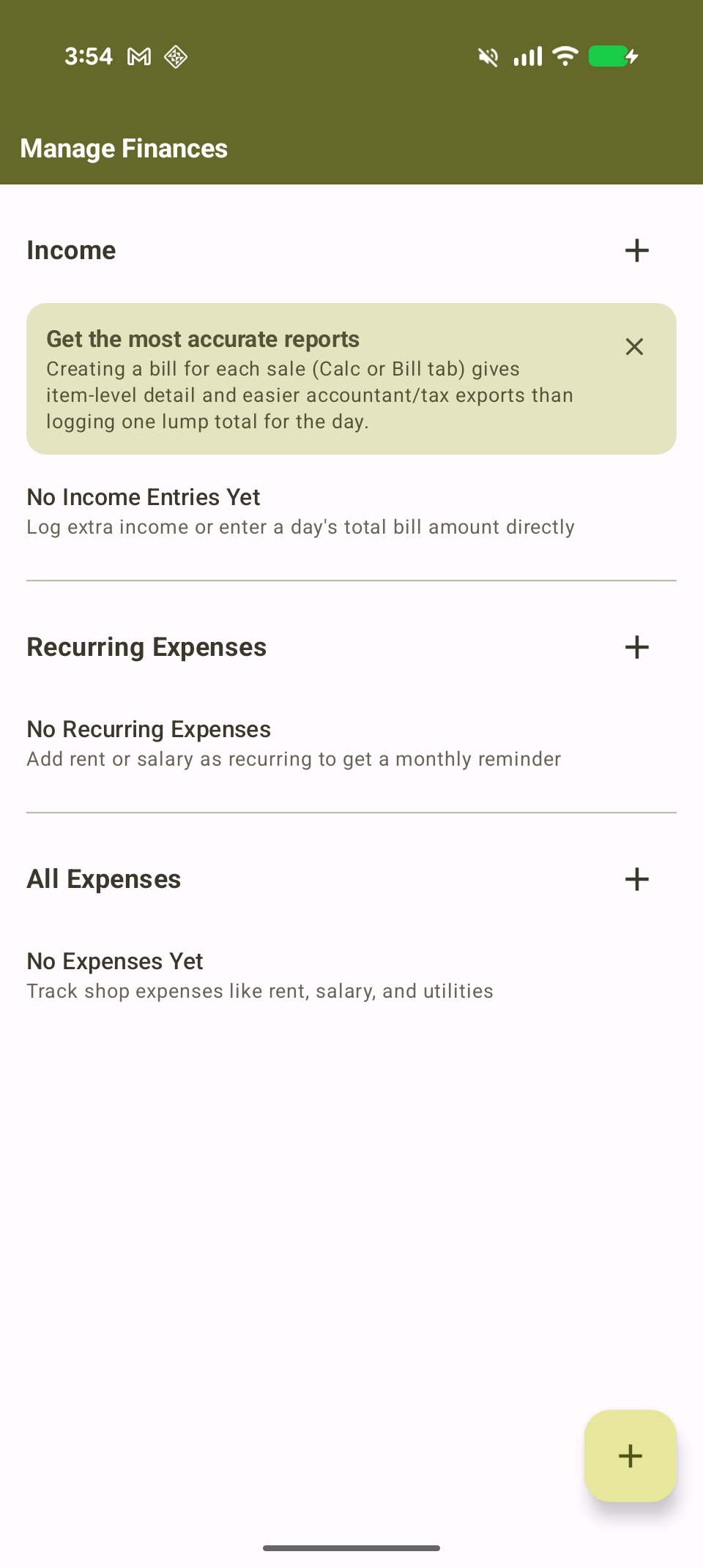
Today/week/month sales at a glance, plus income, expenses, and recurring costs like rent and salary — your net profit, always visible.
Back up bills and settings to your own Google Drive and pick up right where you left off on a second device.
Pin your most-sold items as one-tap chips, and BillCalc quietly remembers what you sell most for even faster billing.
BillCalc is localized into 21 languages, so the app speaks the same language as your counter staff.
Bills are stored locally by default. Cloud backup is opt-in and always your choice — nothing leaves your device otherwise.
Five screens, each doing one job well.
Type a price on the built-in calculator, name the item, and tap the checkmark to add it to the bill. Repeat for each item.
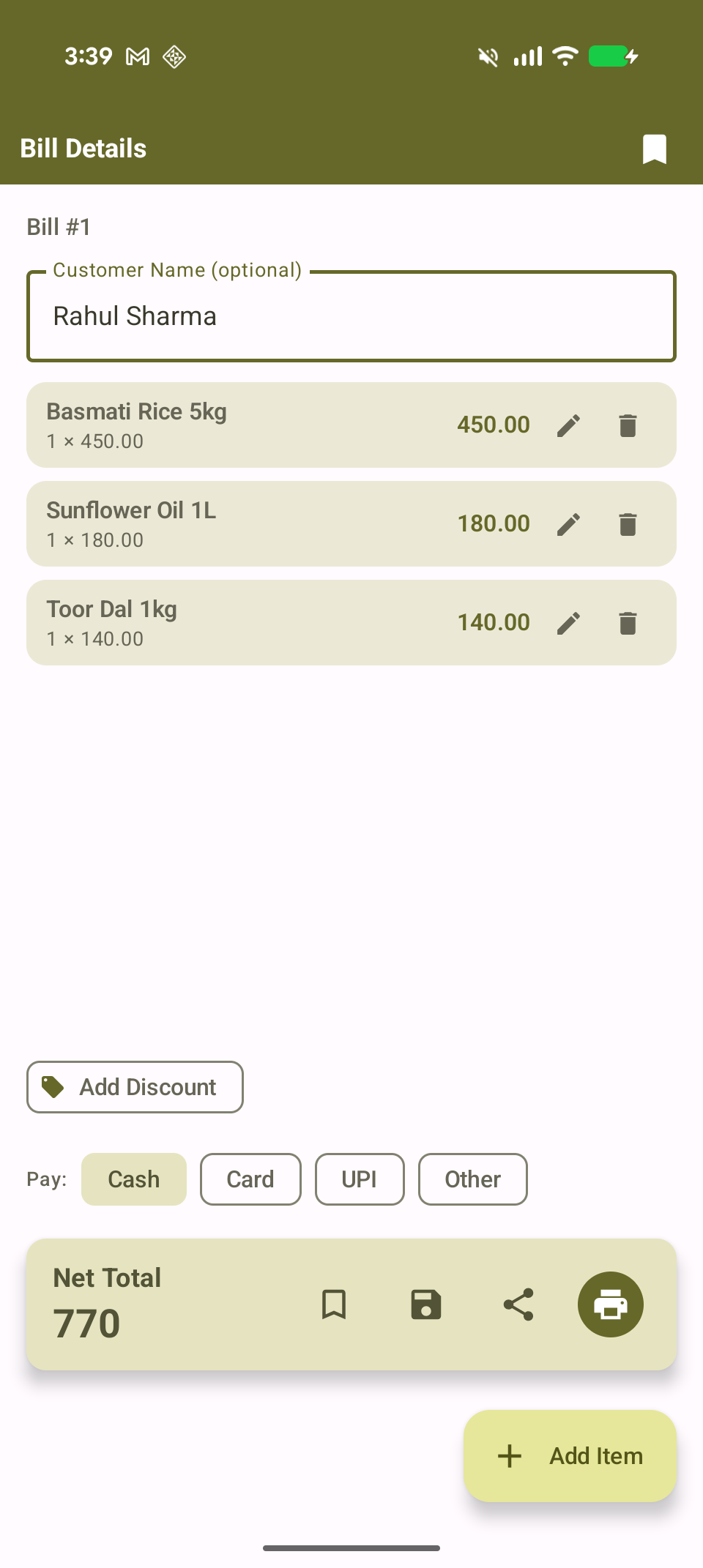
Example: type 450, name it "Basmati Rice 5kg", add — repeat for each item, then check out.See every item, add an optional discount or customer name, pick a payment method, then save, print, or share the bill as a PDF.
Example: 3 items, ₹770 total, Cash payment, saved as Bill #1 in one tap.Browse everything you've ever saved, reprint a bill from last week, or edit one that needs a correction.
Today, last 7 days, and this month's sales at a glance. Premium adds income, expenses, and recurring costs — so you always know your net profit, not just revenue.
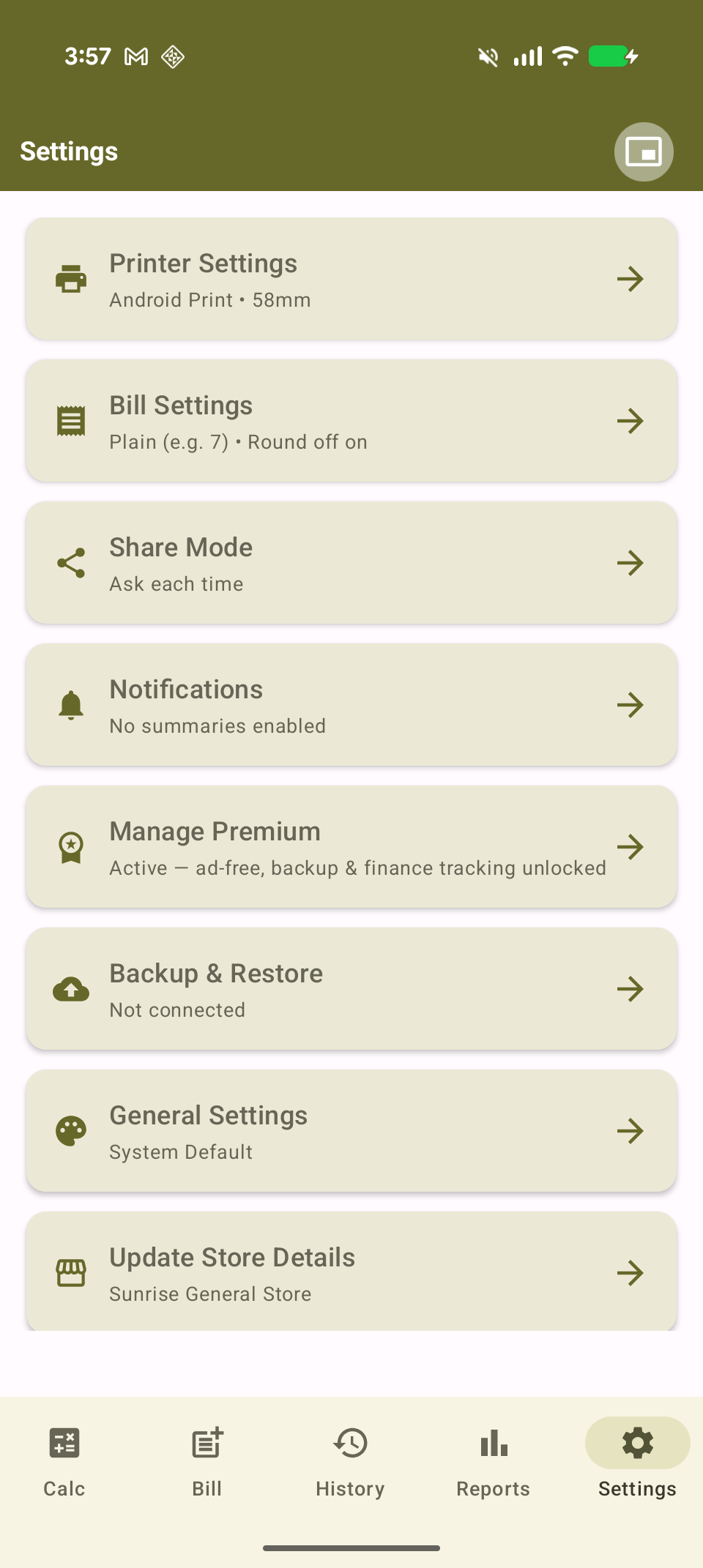
Printer setup, tax/discount defaults, notifications, store details, and Google Drive backup all live in one organized hub.
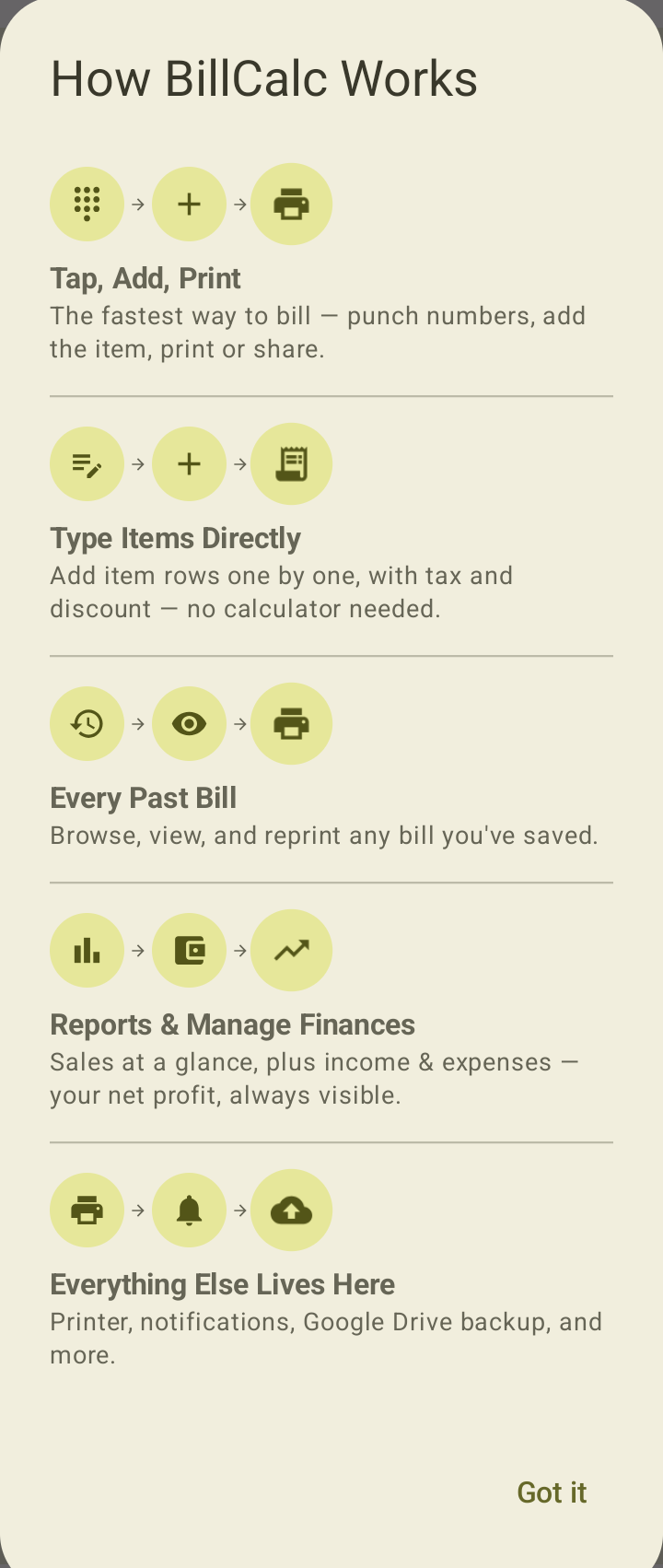
This exact walkthrough is also built into the app — tap Settings → Support → App Guide anytime.
A real sale, start to finish — Sunrise General Store selling rice, oil, and dal.
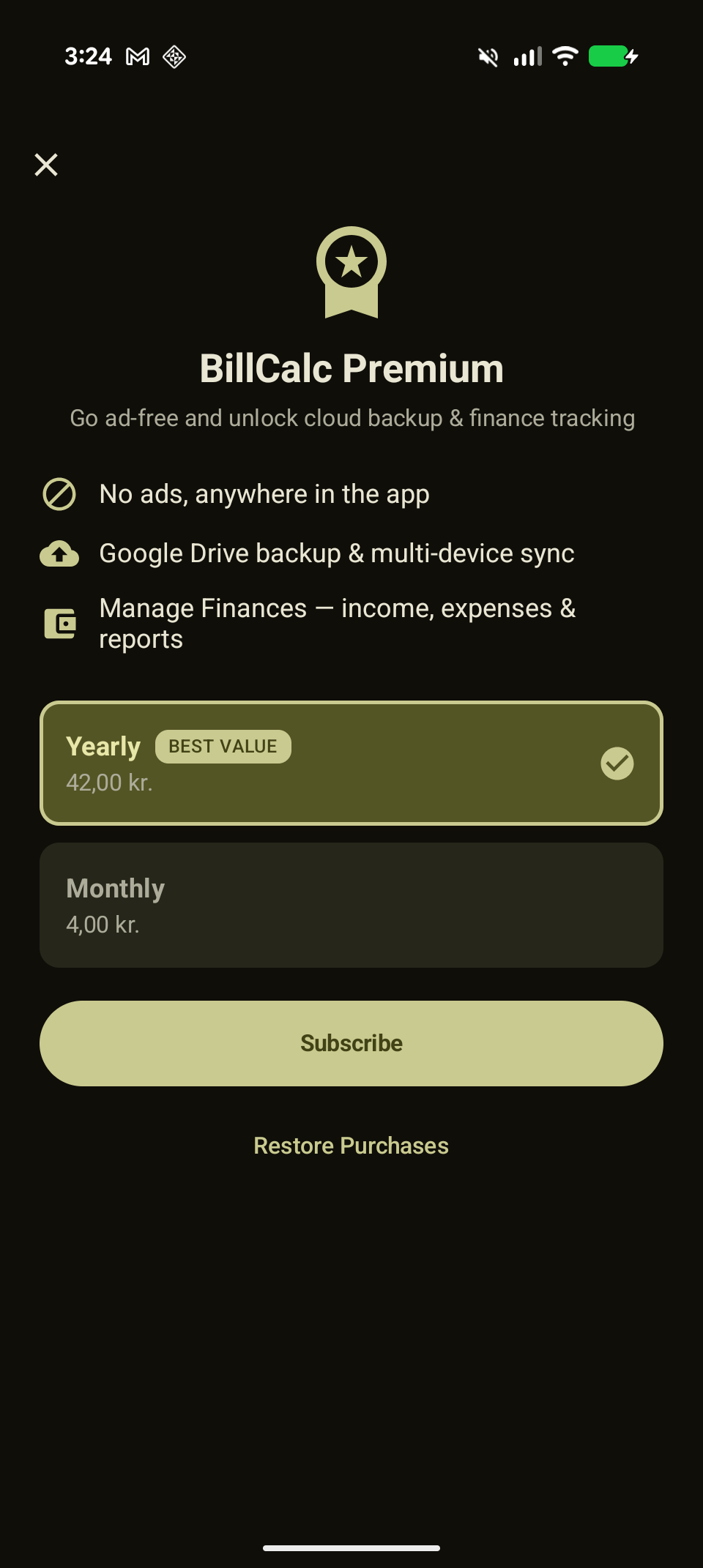
Billing, printing, and history are free forever. Premium adds a few things worth paying for.
Billed through Google Play. Manage or cancel your subscription anytime from Google Play's own subscription settings.